Setting up Print Files for Business Cards
| When supplying multiple types of business cards, we need the number of files to match the order placed. So, for instance, if you order 4 double-sided cards, we would require 8 pieces of artwork. | | 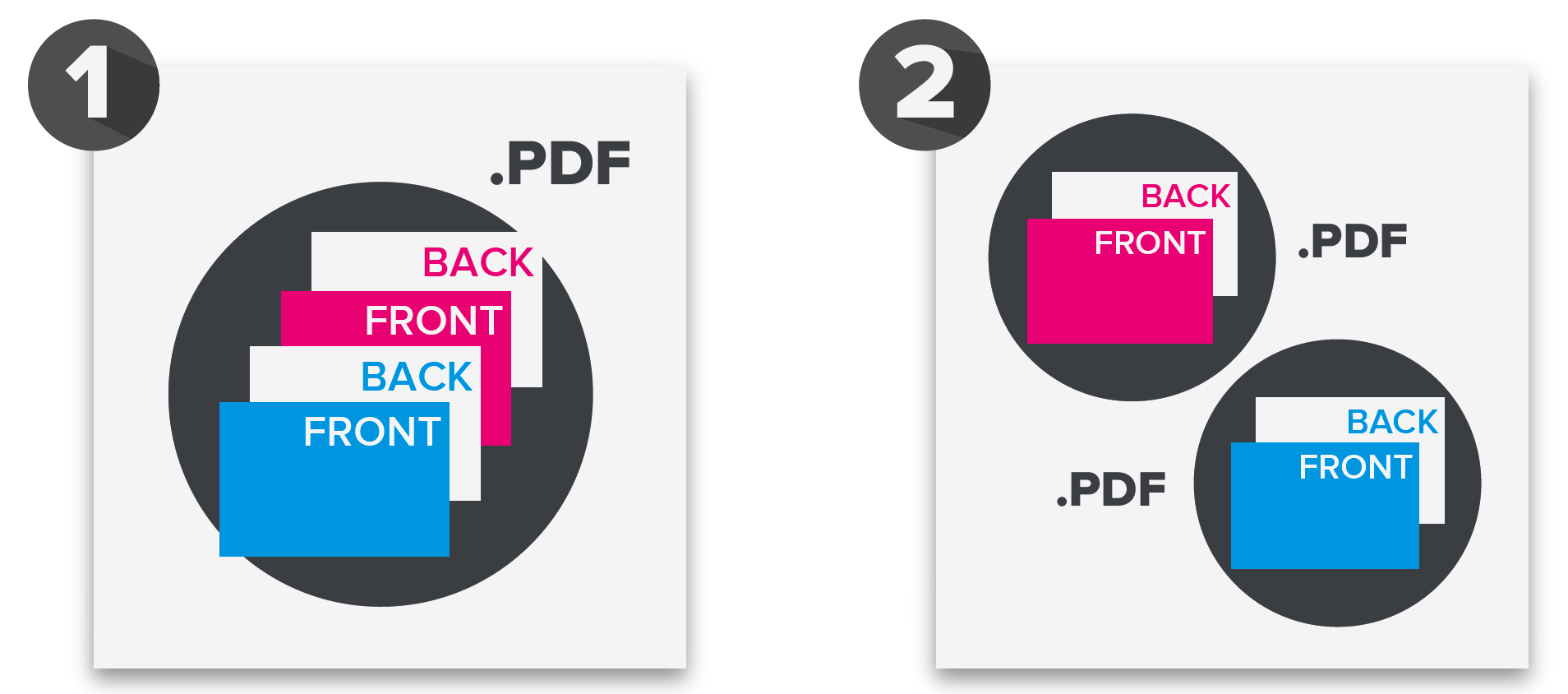 |
| NOTE: If you have a common piece of artwork for the back of the cards, this should be duplicated across every file submitted. |
The artwork also needs to be supplied in a way that allows the fronts and backs to automatically back up correctly. They have to be supplied either (A) within a single PDF as Front, Back, Front, Back, etc., or (B) paired as PDFs for each card to be printed that includes a Front and a Back. | |  |
| IMPORTANT: If any files are missing or not submitted in the same format, as the example above, your artwork will be rejected and we will be unable to proceed with your order. |
Related Articles
Setting up PDFs for Printing
When creating PDFs for print, it is essential to use a recognised PDF maker, such as Adobe Acrobat, instead of relying on a design program's standard "Export to PDF" option. Files not prepared correctly may be rejected. Ensure your artwork is saved ...
Can you check my files?
We offer an optional artwork technical checking service that can be added during the checkout process. Our dedicated artwork team will examine the uploaded artwork to ensure it meets technical standards, guaranteeing optimal print results. Our ...
Setting up Artwork with Cut Paths
When ordering cut-to-shape products, ensure you include a cut path within your artwork. A cut path is what the cutting machine will use as a guide to follow the shape of the area being cut out. This path should consist of a spot colour vector stroke ...
File preparation: Images and Fonts
Preparing your files correctly is crucial to achieving high-quality print results. This guide will help you understand the best practices for images and fonts to ensure your designs look professional and print precisely as intended. Image Resolution ...
Optimising your Roller Banner
Roller banners are available in multiple widths: 800mm, 850mm, 1000mm, 1200mm and 1500mm. All banners are 2000mm (2m) in height. Ensure you order the appropriate size for its intended use. NOTE: We recommend wider banners for gaming. Non-Print Areas ...